
Tools and Resources for Effective Grid System Logo Design

Source: Elif Kamesoglu, Necta, Behance, https://www.behance.net/gallery/180262865/Necta?isa0=1
A grid can bring order to a logo by clarifying alignment, proportion, spacing, and repetition. Yet the quality of a grid-based mark depends just as much on the tools used to construct it. Designers need more than visible squares or circles on an artboard; they need features that make geometry editable, measurements dependable, and refinements easy to test. Good grid system logo design tools support the idea rather than produce it automatically. Vector software provides the main construction environment, while sketching apps, generators, templates, calculators, and educational references strengthen different stages. The aim is to build a compact toolkit that moves an early concept toward accurate, flexible, and visually balanced artwork.
What Grid System Logo Design Tools Need to Accomplish
Before comparing applications, consider the jobs your tools must handle. The right setup should make relationships between forms easy to create and revise.
Accurate Shape Construction
You should be able to draw circles, polygons, lines, and custom paths with exact dimensions. This matters when elements share a radius, angle, width, or center point. Shape-building controls should also combine simple forms without manual tracing.
Consistent Alignment and Spacing
Alignment features place objects along common centers, edges, baselines, or axes. Distribution controls keep repeated modules evenly spaced and prevent small inconsistencies from weakening the mark.
Flexible Editing
The construction should remain adjustable. You may need to widen a form, soften a corner, or change the relationship between components. Effective tools allow these revisions without rebuilding the logo.
Vector Design Software for Building Logo Grids
Vector software anchors most grid-based logo workflows because it keeps shapes scalable and editable. The strongest choice is the application whose controls you understand well.
Adobe Illustrator
Illustrator includes custom grids, Smart Guides, snapping, alignment controls, Pathfinder operations, and precise transforms. It suits detailed symbols built from repeated geometry or coordinated anchor points, while broad file support helps artwork move between design and production teams.
Affinity Designer
Affinity Designer offers configurable grids, snapping, geometric shape controls, and accurate transforms. Its interface supports both free drawing and exact construction in one workspace.
CorelDRAW
CorelDRAW provides guidelines, alignment, duplication, shape editing, and production-oriented controls. It is convenient for designers who also prepare signage, packaging, or print artwork.
Inkscape
Inkscape is a free vector editor with adjustable grids, guides, snapping, path operations, and common exports. It gives beginners the essential controls needed for structured logo construction.
Built-In Grid, Guide, and Snapping Features
Many valuable grid system logo design tools are already inside your vector editor. Learning to configure them often improves accuracy more than adding plug-ins.
Custom Grid Settings
A custom grid should match the concept. Rectangular grids suit modular layouts, while polar, triangular, or isometric grids support radial and angular forms. Adjusting spacing, subdivisions, angles, and the origin creates a more relevant framework than default settings.
Smart Guides and Snapping
Smart Guides help edges, centers, anchor points, and intersections meet accurately. Snapping is useful for mirrored forms and repeated modules, but excessive snapping can pull points away from optical corrections.
Rulers and Manual Guides
Manual guides mark centerlines, baselines, boundaries, and clear-space limits without crowding the artboard. They highlight only the relationships needed at a particular stage.
Shape-Building and Measurement Tools
A visible grid establishes structure, but shape-building and measurement controls turn that structure into usable artwork. They help you construct forms cleanly and check whether the system remains consistent.
Shape and Boolean Operations
Boolean operations merge, subtract, divide, or intersect overlapping objects. They are useful for creating symbols from circles, rectangles, and polygons while preserving a logical construction process. This approach is usually cleaner than manually tracing the final silhouette.
Transform Panels
Transform panels allow exact entries for width, height, position, scale, and rotation. They make it easier to duplicate components, divide space evenly, and repeat angles without estimating by eye.
Distance and Dimension Tools
Measurement features expose uneven gaps, mismatched radii, and inconsistent stroke widths. Depending on the program, you may use built-in distance labels, temporary shapes, guides, or measurement extensions. These checks are particularly helpful when a logo appears symmetrical but contains small structural differences.
Sketching Tools for Planning Grid-Based Concepts
Exact construction should not take over the earliest stage of ideation. Sketching tools give you room to explore form and meaning before deciding which grid will support the concept.
Paper, Dot Grids, and Graph Paper
Graph paper and dot-grid notebooks are useful for testing symmetry, repetition, and modular shapes quickly. Because the sketches remain informal, you can reject weak directions without feeling attached to time-consuming digital construction.
Digital Sketching Applications
Digital drawing apps with grid overlays, rulers, symmetry tools, and layers offer similar freedom with easier revision. Procreate, Adobe Fresco, Concepts, and comparable apps can help you explore structure before importing a promising sketch into vector software.The sketch does not need to match the final grid exactly. Its purpose is to establish the idea, movement, and overall balance. Precision can follow once the concept proves strong enough to develop.
Online Grid Generators and Geometric Resources
External resources can simplify complex setups or help you work with an unfamiliar geometric system. Their best role is to provide a starting framework, not a finished answer.
Grid Generator Tools
Online generators can produce modular, radial, triangular, and isometric grids using selected dimensions or angles. Exportable SVG or image files can then be placed in vector software as construction references.
Geometric Construction Resources
Polygon calculators, angle calculators, circle-packing references, ratio tools, and symmetry guides can solve specific construction problems. They are useful when dividing a circle evenly, calculating repeated rotations, or comparing proportional relationships.
When Generated Grids Are Helpful
Generated grids save time when a structure contains many repeated lines or difficult angles. However, the framework should be modified to serve the logo concept. Leaving it unchanged may produce geometry that looks impressive in a presentation but adds little meaning or distinction to the final mark.
Templates, Reference Libraries, and Educational Resources
Templates and learning resources matter when they explain construction rather than merely display it. They should help you understand decisions, test methods, and strengthen visual judgment.
Editable Grid Templates
Radial files, modular layouts, proportion guides, and printable sketch sheets reduce routine setup. Choose editable resources so you can change spacing, scale, and angle for each project.
Logo Construction Case Studies
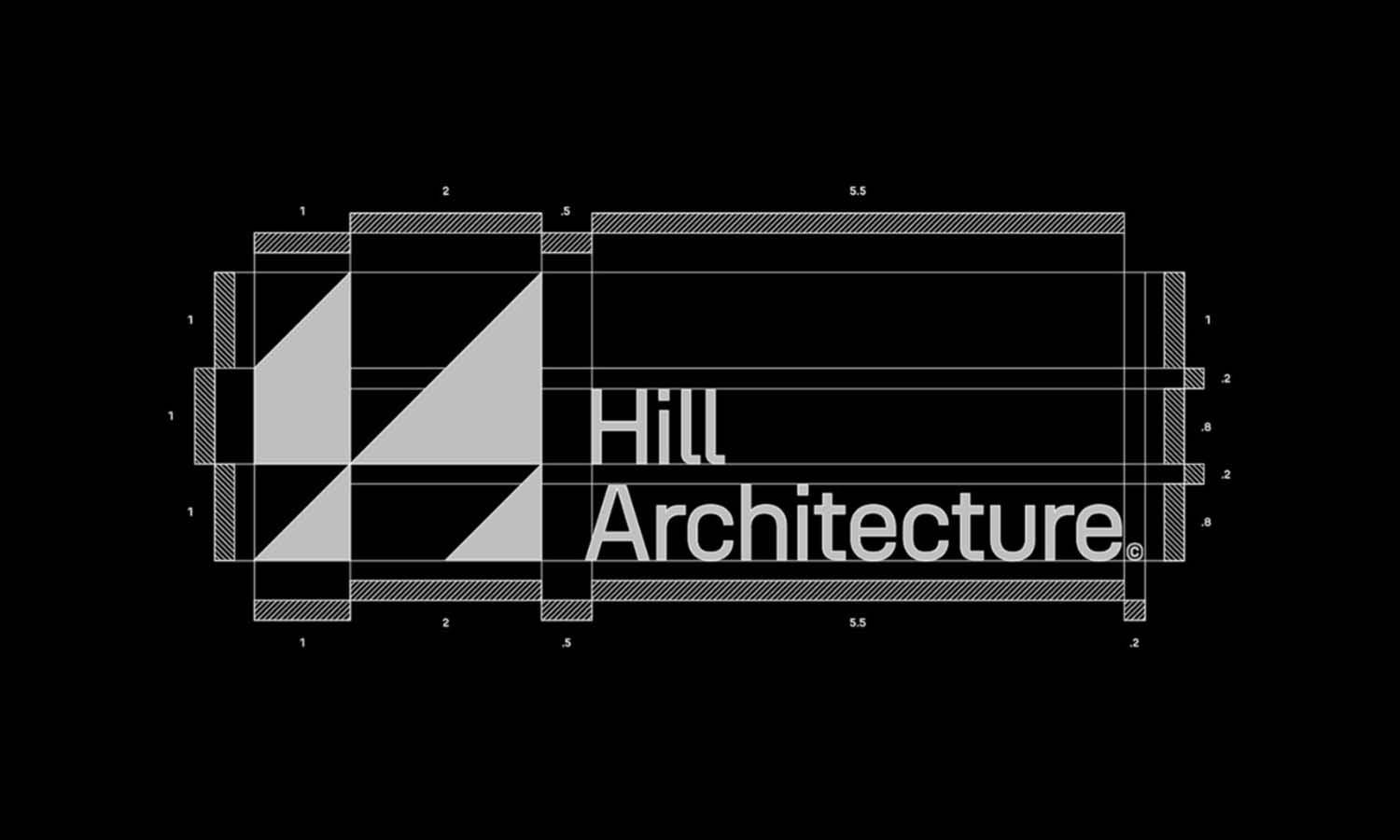
Strong case studies show how an idea became a working geometric system. Look for explanations of radii, anchor placement, negative space, and optical corrections. Decorative construction lines offer little value when the decisions remain unexplained.
Courses, Books, and Tutorials
Resources on geometry, visual proportion, and vector construction improve technical control and judgment. Complete workflows are especially helpful because they show when the grid enters, changes, and gives way to optical adjustment.
Choosing the Right Toolset for Your Workflow
A productive setup needs enough control for your projects without unnecessary complexity.
For Beginners
A beginner can start with graph paper or a sketching app, an accessible vector editor, and a few introductory templates. Learning snapping, alignment, transforms, and path operations matters more than collecting advanced resources.
For Professional Designers
A professional toolkit may add custom grid presets, measurement extensions, reusable construction files, and version control. These resources save time when projects require several lockups, responsive variations, or presentation diagrams.
Questions to Ask Before Choosing
Check for custom grids, accurate snapping, numeric transforms, and clean vector export. Consider how easily files can be shared with clients or production partners. Most importantly, ask whether the tool improves your decisions. Powerful software is unhelpful when basic adjustments become slow or confusing.
Using Tools Without Letting the Grid Control the Design
A mathematically consistent logo can still appear awkward. Grids organize relationships but cannot fully account for visual weight, negative space, curves, or perception. After construction, hide the grid and view the mark at realistic sizes. Equal gaps may not look equal, and a geometrically centered object may appear off-center. Curves, corners, and internal spaces may need optical adjustment. These changes help the system work visually. Test the logo in solid black, at small scale, and in its intended applications. Keep a separate grid version for documentation, but remove guides and unnecessary objects from the production file. The best grid system logo design tools improve consistency while leaving room for judgment. They should support the design, not preserve geometry that no longer serves the mark.
Conclusion
Effective grid-based logo construction draws on several resources: vector software for editable artwork, snapping and transform controls for precision, sketching tools for exploration, and templates or calculators for specialized structures. Educational references then help you understand why those tools work and when to depart from them. A focused toolkit is more useful than a crowded one. Choose grid system logo design tools that fit your workflow, learn their core controls thoroughly, and use them to test relationships rather than manufacture ideas. When accurate construction is combined with optical refinement, the grid becomes a flexible framework that strengthens the logo without limiting its character.
Let Us Know What You Think!
Every information you read here are written and curated by Kreafolk's team, carefully pieced together with our creative community in mind. Did you enjoy our contents? Leave a comment below and share your thoughts. Cheers to more creative articles and inspirations!
Related Articles






Leave a Comment