
Proper Logo Design Placements on Business Cards

Source: Rafael Silveira, Mustache DJ / Brand Identity, Behance, https://www.behance.net/gallery/170788209/Mustache-DJ-Brand-Identity
A business card may be small, but its layout has a major influence on how clearly and professionally a brand is presented. One of the most important choices is logo placement on business cards. The right position helps establish visual hierarchy, supports brand recognition, and leaves enough room for a name, job title, phone number, email address, and other essential details.
There is no single placement that works for every brand. A logo can sit in a corner, command the center, occupy the back, or become part of the background. The best choice depends on the logo’s shape, the amount of information on the card, and the impression the brand wants to create. The placements below explain how each approach works, when it is most effective, and what to watch for so the final card remains balanced, readable, and memorable.
Top Left Corner Emphasis
Placing the logo in the top left corner is one of the most familiar and practical options. For audiences who read from left to right, the eye often reaches this area early, allowing the logo to introduce the brand before the viewer moves through the remaining information. It also creates a clear anchor for a structured layout. The name, title, and contact details can follow beneath or beside the logo without competing with it. This placement suits corporate, consulting, financial, and professional-service brands that want the card to feel organized and dependable. Keep enough clear space around the mark so it remains distinct rather than crowded by text.
Center Stage Position
A centered logo gives the brand immediate visual priority. Because the mark becomes the focal point, this approach works especially well when the logo is distinctive and the card contains only a limited amount of supporting information. Contact details can sit below the logo, around the edges, or on the reverse side to preserve breathing room. Center placement can feel confident, modern, and intentionally simple, making it a strong option for creative studios, startups, personal brands, and businesses with bold visual identities. The key is restraint: if too many lines of text surround the centered mark, the layout can quickly lose the balance that makes this placement effective.
Bottom Right Alignment
Positioning the logo at the bottom right creates a more understated hierarchy. Instead of introducing the card, the mark acts as a visual sign-off after the viewer has read the name and contact information. This can work well for refined or minimalist brands that prefer a quieter presentation. The placement also leaves generous room across the top and left portions of the card for text. To keep the design intentional, align the logo carefully with nearby typography and maintain consistent margins from the card edges. A bottom-right logo should still be large enough to recognize easily; reducing it too much can make the branding feel secondary rather than elegantly restrained.

Source: Arron Goh, CHARIOT - Branding Design, Behance, https://www.behance.net/gallery/93763625/CHARIOT-Branding-Design
Use the Back of the Card
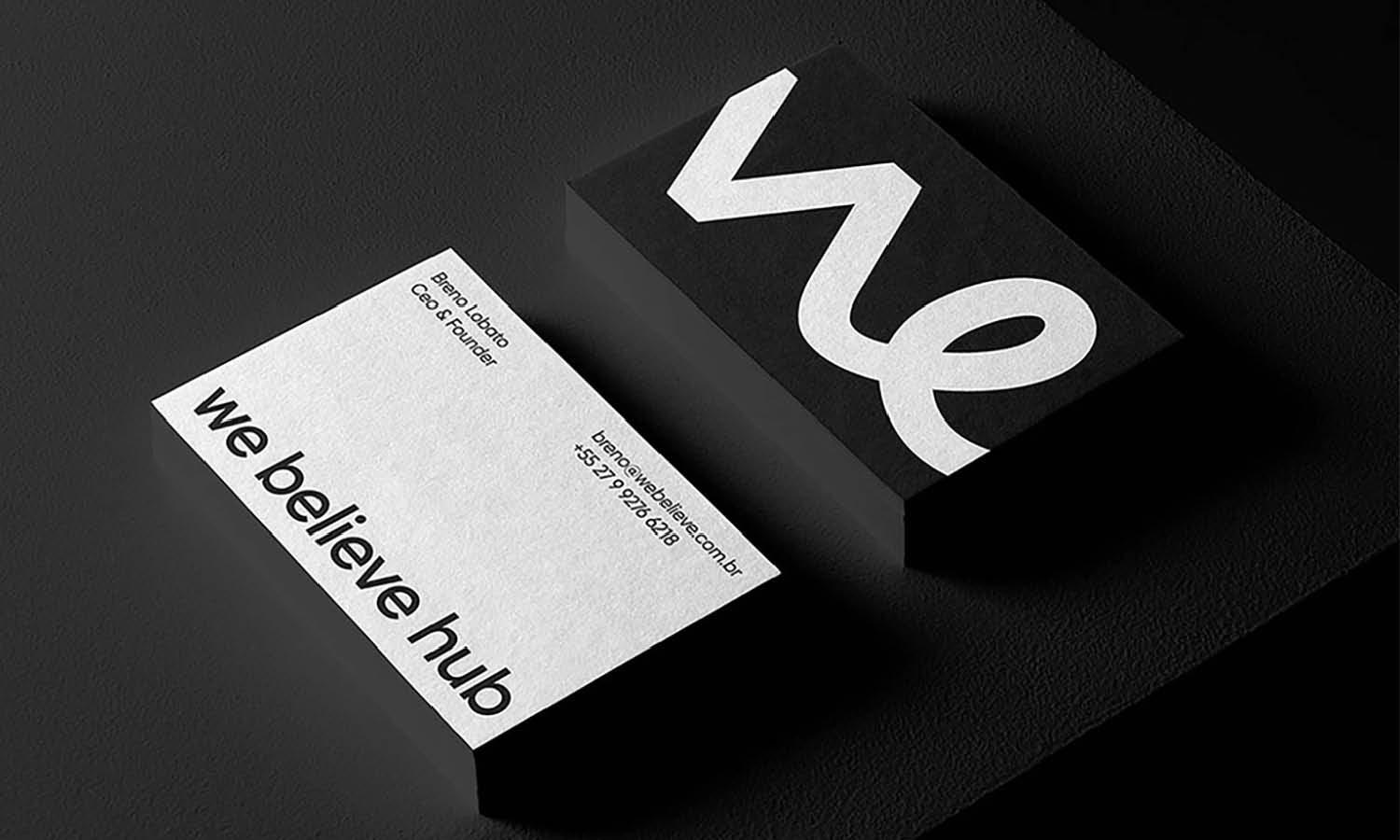
Using the back of the business card exclusively for the logo is a clean way to separate branding from practical information. The front can focus on the person’s name, role, and contact details, while the reverse becomes a dedicated brand moment. This arrangement is particularly useful when the logo needs more space or when a minimal front layout is important. A logo-only back can also create a satisfying reveal when the recipient turns the card over. If a tagline is included with the mark, keep it short and legible. The goal is not to fill the extra space, but to use the second side deliberately so the card feels cohesive from front to back.
Overlay Techniques
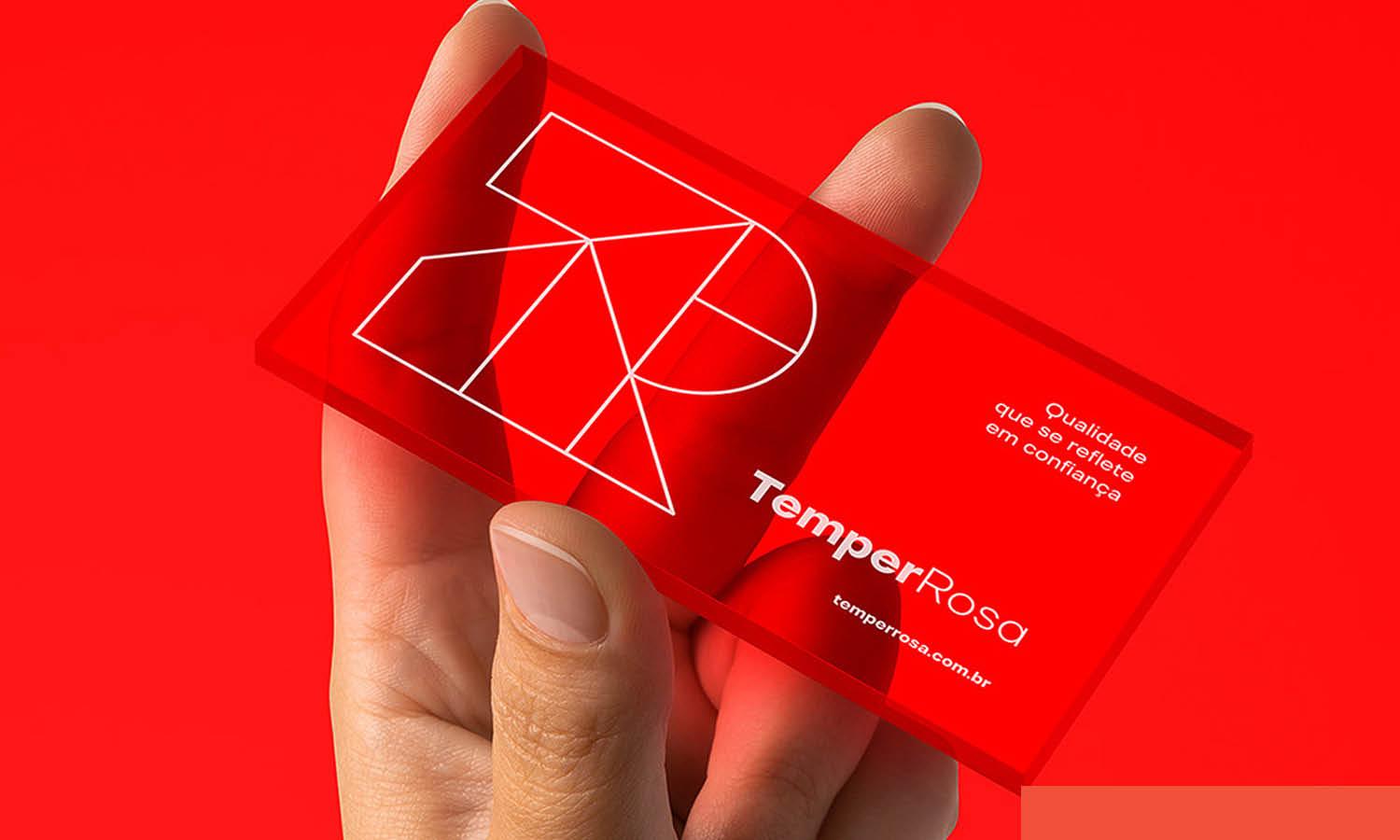
An overlay places the logo over a photograph, texture, illustration, or color field, creating a layered look rather than separating the mark from the background. This can make a business card feel more expressive, but contrast must remain the priority. If the background is visually complex, the logo may need a solid-color version, more surrounding clear space, or a quieter area behind it. Adjusting the background rather than weakening the logo usually produces better legibility. Overlay techniques work best for brands in creative fields where imagery is part of the identity. Before printing, test the design at actual card size to confirm that fine details and small letterforms remain easy to recognize.
Minimalist Approach
A minimalist approach uses generous negative space and only the information the recipient truly needs. The logo may be small and placed in a corner or centered with ample room around it. This makes the mark easier to notice because there are fewer competing elements. Minimal layouts are effective for brands that want to communicate clarity, precision, elegance, or confidence without relying on decoration. However, minimal does not mean undersized. The logo, name, and contact details still need sufficient scale and contrast for comfortable reading. Careful spacing, consistent alignment, and strong typography are what make a simple card feel intentional rather than unfinished.
Diagonal Orientation
Angling the logo diagonally can introduce movement and energy into an otherwise rectangular layout. It is a more unconventional choice, so it works best for brands whose identities already feel playful, experimental, or dynamic. Geometric and symmetrical marks often handle rotation particularly well, while detailed wordmarks can become harder to read when tilted too aggressively. A diagonal logo should support the composition rather than become a gimmick. Keep the surrounding text comparatively simple and avoid adding several competing angles. When used with restraint, the technique can create a memorable business card while still maintaining a clear hierarchy between the brand mark and essential contact information.

Source: Mark Smith, Cimet Software Business Card, Dribbble, https://dribbble.com/shots/25648529-Cimet-Software-Business-Cards
Corner Cut
A corner-cut treatment lets part of the logo extend beyond the edge of the card, creating the impression that the mark continues outside the printed surface. This can give a simple layout a stronger sense of scale and visual interest without taking over the entire card. The technique is most effective when the cropped portion remains recognizable and intentional. Avoid cutting away the part of the logo that carries its most distinctive feature. Because this approach relies on printing to the edge, the artwork should also be prepared with appropriate bleed according to the printer’s specifications. Used carefully, an off-edge logo can make the card feel contemporary while preserving space for contact details.
Full Background
Using the logo as a full or oversized background can create a bold branded surface. Instead of behaving like a small identifier, the mark becomes part of the card’s overall composition. This works particularly well with simple symbols, monograms, or recognizable shapes that remain effective when enlarged or cropped. The main challenge is readability. Contact information placed over the logo must retain strong contrast, and the background treatment should never make important details difficult to scan. A lighter tint, restrained crop, or simplified logo variation can help. Full-background placement is most successful when the branding feels prominent without turning the card into a busy pattern that competes with the information.
Text Wrap Feature
Wrapping text around the logo can integrate branding and information into one connected composition. It is especially useful for circular, compact, or irregularly shaped marks that naturally create space around their edges. The technique can make efficient use of a small card, but it requires careful spacing. Contact details should never follow the logo so tightly that the layout becomes difficult to scan. Maintain comfortable separation between the mark and each line of text, and keep the reading order obvious. Text wrapping is best when it looks deliberate rather than forced. If the information becomes cramped, a simpler stacked arrangement will usually create a more professional and accessible result.
Frequently Asked Questions
Where Is the Best Place for a Logo on a Business Card?
The best position depends on the card’s layout and the logo itself. Top-left placement is dependable for a traditional hierarchy, while centered placement gives the logo greater prominence. A logo-only back works well when the front needs to remain clean. Choose the position that keeps both the branding and contact information easy to recognize.
How Large Should a Logo Be on a Business Card?
The logo should be large enough to remain recognizable at actual print size without dominating the card. Its ideal dimensions depend on the logo’s proportions and complexity. Leave adequate clear space around it and print a physical test whenever possible. Fine details that look clear on a monitor may become difficult to see once reduced.
Should the Logo and Contact Information Be on the Same Side?
They can be, but they do not have to be. Keeping both on one side creates a compact, conventional layout, while placing the logo on the reverse side gives each function more space. A two-sided approach is useful when the card contains several contact details or when the brand benefits from a stronger standalone visual statement.
What Should Be Avoided When Placing a Logo on a Business Card?
Avoid crowding the logo against text, trimming important parts of the mark unintentionally, using weak contrast, or shrinking it until details disappear. Also avoid choosing an unusual position only for novelty. Effective logo placement on business cards should strengthen hierarchy and recognition while keeping names, contact details, and other essential information easy to read.
Conclusion
Effective logo placement on business cards balances brand visibility with practical communication. A top-left or centered mark can create a clear focal point, while a logo-only back, subtle corner placement, or full-background treatment can support a more distinctive identity. Whatever approach you choose, prioritize readability, clear space, alignment, and print legibility. The strongest placement is not simply the most noticeable one; it is the position that helps the logo and essential information work together as one cohesive, professional design.
Let Us Know What You Think!
Every information you read here are written and curated by Kreafolk's team, carefully pieced together with our creative community in mind. Did you enjoy our contents? Leave a comment below and share your thoughts. Cheers to more creative articles and inspirations!
Related Articles






Leave a Comment